🎧 BEHIND EVERY GREAT LIVE EVENT IS A GREAT SOUND ENGINEER.
The audience sees the performers.
The sound engineer controls what they hear.
Learn the technology, techniques and workflow behind professional live sound production at MX Academy.
LIVE SOUND ENGINEERING — PROFESSIONAL CERTIFICATE
Practical training in live sound setup, operation, mixing and troubleshooting.
Live Sound Engineering Curriculum
Duration: 8 Weeks
Delivery: Physical + Online
Focus: Theory + Equipment Identification + Hands-on Practical Training + Live Event Workflow
Outcome: Students should be able to set up and operate a professional live sound system, conduct soundcheck, mix FOH and monitors, troubleshoot common problems, and support a live event.
COURSE OUTLINE:
LIVE SOUND & AUDIO FUNDAMENTALS
1. Introduction to Live Sound
- Live sound production workflow
- Basic roles of the sound team
- FOH vs monitor position
- Stage and venue requirements
- Basic production terminology
- Professional conduct and communication
2. Audio Fundamentals
- Sound waves and frequency
- Amplitude and loudness
- Frequency ranges
- Decibels and SPL
- Phase and polarity
- Harmonics and timbre
- Noise and distortion
Focus: Understand how sound behaves and how a live sound system works.
EQUIPMENT & MICROPHONE TECHNIQUES
3. Live Sound Equipment
- Mixing consoles
- Microphones
- DI boxes
- Stage boxes
- Multicore cables
- Main speakers
- Subwoofers
- Monitor speakers
- Power amplifiers
- Wireless microphones
- Playback systems
4. Microphone Techniques
- Dynamic vs condenser microphones
- Microphone selection
- Polar patterns
- Proximity effect
- Vocal miking
- Basic drum miking
- Guitar amplifier miking
- Acoustic instrument miking
- Microphone bleed
- Handling and storage
Focus: Identify, connect and correctly use the major equipment used in a live sound setup.
SIGNAL FLOW & CONSOLE OPERATION
5. Signal Flow
- Understanding the complete signal path
- Microphone/DI → stage box → console → processing → output → speaker
- Input patching
- Output patching
- Phantom power
- Gain structure
- Cable testing
- Basic polarity checks
- Analog vs digital signal flow
6. Mixing Console Fundamentals
- Channel selection
- Channel routing
- Preamp gain
- High-pass filters
- EQ
- Compression
- Aux sends
- Effects
- Mute groups
- Basic scene management
Focus: Build and operate a functional live sound console.
BASIC FOH MIXING
7. Front-of-House Mixing
- Building a basic balanced mix
- Vocal clarity
- EQ fundamentals
- Controlling low frequencies
- Mixing drums
- Bass
- Guitars
- Keyboards
- Playback
- Managing volume and dynamics
- Mixing according to the music
8. Introduction to Monitor Sound
- Purpose of monitor systems
- Wedge monitors
- Basic monitor mixes
- Performer requirements
- Basic feedback prevention
- Stage volume management
Focus: Operate a basic FOH mix and provide usable monitor mixes.
Notice that this is not advanced Monitor Engineering. Detailed IEM workflows, complex monitor systems and advanced feedback management remain in the 12-week programme.
PA SETUP & SOUNDCHECK
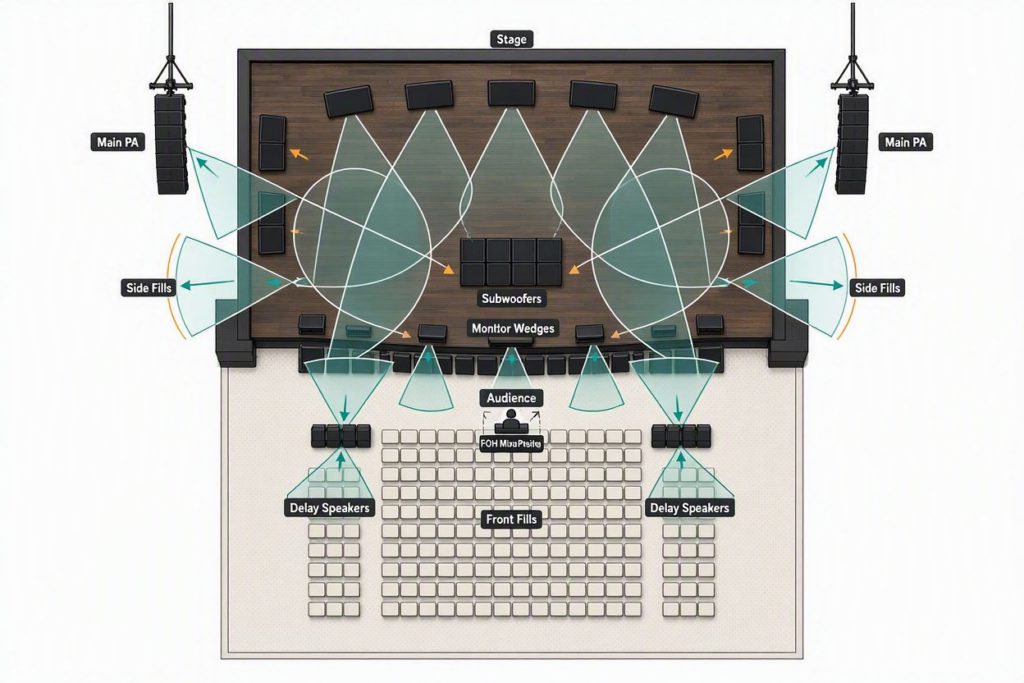
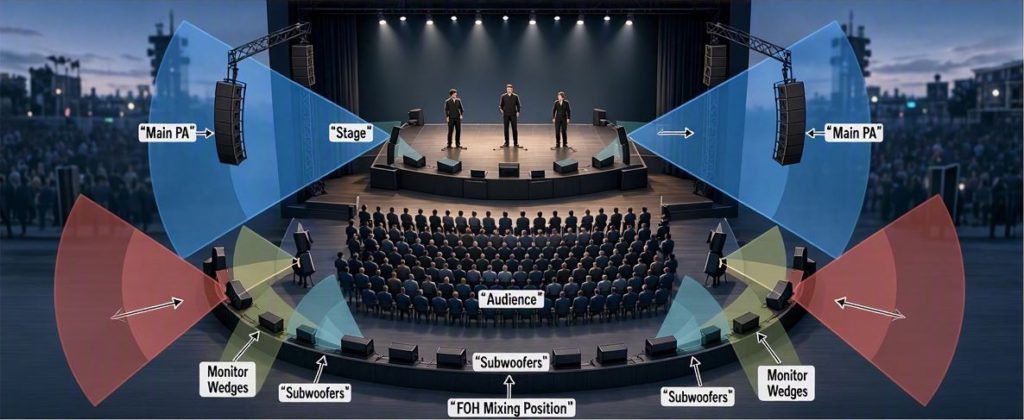
9. Basic PA System Setup
- Main speaker placement
- Subwoofer placement
- Speaker coverage
- Speaker connections
- Amplifier connections
- Basic crossover concepts
- Speaker polarity
- Safe operating levels
10. Professional Soundcheck
Students learn a simplified professional workflow:
- Stage safety check
- Check equipment and connections
- Verify patch
- Line check
- Check microphones and DI inputs
- Set gain
- Check monitors
- Check individual channels
- Build FOH mix
- Full-band soundcheck
- Save console settings
- Prepare for performance
Focus: Take a system from setup to performance-ready.
TROUBLESHOOTING & FINAL SYSTEM OPERATION
11. Basic Live Sound Troubleshooting
- No signal
- Low signal
- Distorted signal
- Hum and buzz
- Faulty cables
- Feedback
- Incorrect routing
- Phantom-power problems
- Wireless microphone problems
- Polarity issues
- Speaker/amplifier problems
Troubleshooting method:
Source → Cable → Input → Channel → Output → Amplifier → Speaker
12. Live Sound System Operation
- Complete system setup
- Patching
- Soundcheck
- FOH operation
- Basic monitor operation
- Live performance workflow
- Shutdown and equipment handling
FINAL ASSESSMENT
Students demonstrate that they can:
Identify → Connect → Patch → Soundcheck → Mix → Monitor → Troubleshoot → Operate
Perfect for:
Musicians | Beginners | Church Sound Operators | Audio Enthusiasts | Event Professionals | Aspiring Sound Engineers
YOUR 8-WEEK JOURNEY STARTS HERE.
📍 Calabar, Cross River State
💻 Physical & Online Classes
🏠 Accommodation Available
🏆 Internationally recognised certifications
Register: www.mxacademy.ng/register
📞 +234-8123 011 179
🌐 www.mxacademy.ng
MX Academy — Learn the Sound. Control the Experience.
Click here to Register Now!